Service Year Awards · buyer guide
Building a recurring service-award reorder file
A recurring service-award file needs a reusable design master and a newly approved roster for each cycle. For Service Year Awards orders worldwide, keep names, milestones, quantities and receiving groups tied to that cycle’s release reference. Reusing an artwork layout does not approve last year’s recipients or delivery addresses for this year.
Reviewed 2026-09-05 · AI-assisted editorial review. General buying guidance; illustrative scenarios are not customer case studies. Images are AI-generated concepts.
Use stable references for the program, milestone designs and recipient items. Keep the exact public inscription fields separate from private delivery information and internal eligibility records. This gives production a clean current brief while retaining enough history to explain a replacement or resolve a discrepancy.
How does a design master differ from a released batch?
Retain an editable program design master and a separate released output for each completed batch. Adobe explains that outlined text loses ordinary text-control editability. The master supports future roster changes; the released output records the exact names, milestones and arrangement authorized for one specific order.
A reusable master should identify the fixed program elements and the variable fields. The completed batch should identify the actual names, milestones and approved layouts used in that release. Neither file should be casually overwritten by a new cycle, because they answer different questions about the intended design and past production.
If a logo or program title changes, issue a design revision and show which milestone variants it affects. Do not update only the most visible template while leaving another tier on an older identity. A small design register can connect the current approved master, its variants and the release files that use them.


Sources: Adobe: Create outline text in Illustrator on the web
Which fields belong in the award roster?
Create fields for recipient reference, approved display name, milestone, design reference, exact optional message, date text, quantity and proof status. Add a receiving-group reference where the order requires it. Define which values appear on the object and which are internal controls; a production file should not depend on a designer guessing that distinction.
Keep service eligibility outside the engraving calculation. The employer's responsible contact should provide the approved milestone, not expect a supplier to derive it from personnel dates. A formula used internally may support the employer's process, but the released production value should be explicit and approved.
Avoid ambiguous fields such as year when it could mean the milestone length, presentation year or employment start year. Give each field a specific name and preserve the intended display format. This is especially useful when several offices contribute rows and use different date conventions.
Distinguish a deliberately excluded row from a missing quantity. A blank quantity is an unresolved input; a row intentionally removed from this cycle should have an explicit exclusion state in the working record. Neither should silently become one manufactured piece during import.
What must be reset for the next recognition cycle?
Start the new order from an empty or clearly reset roster structure. Retain the column definitions and approved design references, but reset recipient rows, quantities, addresses and approval states. Copying an old approved status into a new file can make unchecked information appear ready for production.
Name the cycle and its eligibility cutoff through the program owner. Record the roster source and the person responsible for approving the current list. A recurring monthly or quarterly workflow still needs a defined release point so late additions can be distinguished from changes to an order already in progress.
Maintain an exception list for unresolved names, milestone assignments, artwork or receiving details. Each exception should have an owner and an affected item reference. Keep it separate from the released production set until the required decision is made. This allows routine rows to be understood without hiding uncertainty in a general note.


Illustrative example: how do new milestones and replacements total twenty-three pieces?
Imagine a fictional quarterly cycle with twelve five-year recipients, eight ten-year recipients and three separately approved replacement awards from an earlier cycle. Each line calls for one physical piece, giving 12 + 8 + 3 = 23 objects. The three replacements are not new milestone recipients in the current cohort, so they should remain a separate order group.
In the optional calculator linked below, enter those three groups and confirm twenty-three pieces. The downloadable worksheet separates current recognition from replacements and includes required design and source-release references. It contains no real employee data or assumed eligibility rules.
Suppose one new recipient is added after the twenty current-cycle names are approved but before the order is released. The program owner should authorize the addition, update the roster revision and confirm its design and quantity. If the person belongs to the five-year group, the revised physical total becomes twenty-four while the replacement count stays three.
If the addition arrives after release, record it as a proposed change or separate order according to the actual production state. Do not silently edit the archived released file. The retained history should still explain what the supplier was originally authorized to make, with the later decision documented alongside it.
Keep recurring records separate by purpose
Keep the design register, current roster, released order and replacement history distinct because each answers a different question. A design register identifies what may repeat; the current roster identifies this cycle’s pieces. Delivery allocations then connect those approved objects to receiving groups without changing the recognition decision.
| Option | What this option establishes | What remains a separate decision |
|---|---|---|
| Program design register | Current approved artwork and milestone variants. | The recipients and quantities for a particular cycle. |
| Current roster | Approved personalized entries for the new recognition period. | Historical addresses or automatic approval inherited from an older file. |
| Released order snapshot | The exact information authorized for one production run. | A working file that should change whenever a late request arrives. |
| Replacement register | Named pieces repeating or correcting an earlier release. | New milestone recipients in the current cohort. |
| Delivery allocation | Where the approved physical pieces should be received. | The employee’s eligibility or the text that belongs on the award. |
Use the article’s example files
The file contains fictional groups and approval placeholders. Replace them with your authorized program records; it is not a source of employee eligibility or personal information.
What should you check before and after artwork preparation?
Before sending the roster, reconcile its physical quantities by milestone and design. Check that every required field is present and that unresolved rows are visibly excluded from release. The file can contain the correct number of people while still assigning one of them to the wrong physical design.
After artwork preparation, compare the proofs with the same roster revision. Review names and milestone assignments as well as representative layout exceptions. A transformation into a visual proof does not establish that every source value survived unchanged.
If a correction is made during proofing, update the source roster and generate or identify the matching final proof. Keeping the correction only in an email or handwritten screenshot leaves the next reorder vulnerable to reproducing the old error. The release should point to one coherent set of files.
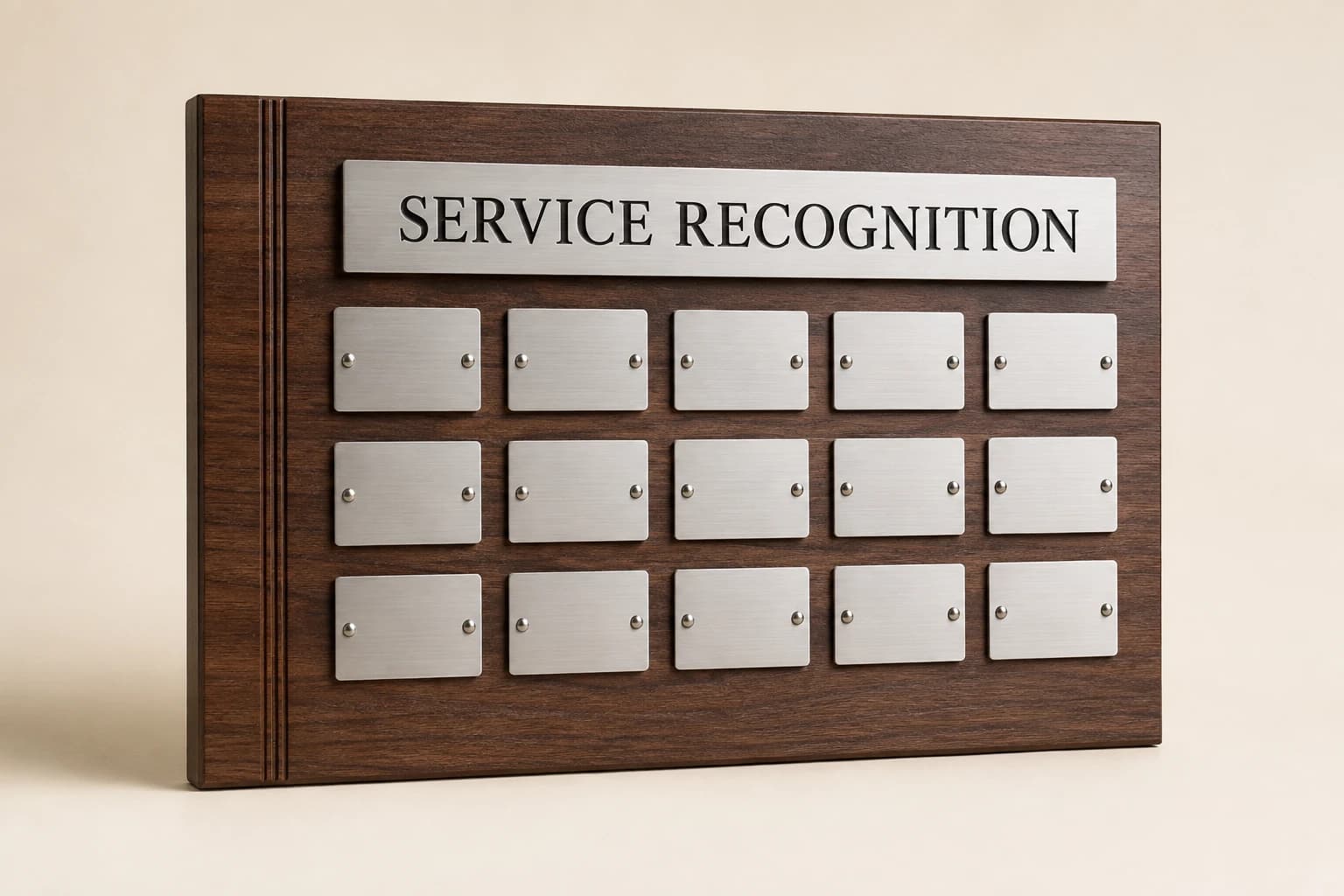
How do recipient counts differ from receiving groups?
A recurring order may combine several offices, individual remote recipients and pieces held for later presentation. Keep those allocations connected to item references rather than encoding them into the name field. One office carton can contain several milestone designs, and one milestone group can be split across several destinations.
Confirm current receiving details through the authorized private process each cycle. The reusable template can contain field names and instructions without retaining old personal addresses as defaults. A blank field that requires confirmation is preferable to a convenient but unverified historical value.
When the shipping plan changes, reconcile the affected allocations without changing the approved recognition counts unnecessarily. If a person moves from an office handoff to direct delivery, the award can remain the same while the shipping scope changes. Ask for the current proposal against the revised destinations.
What should be retained after the cycle closes?
At closeout, record the accepted quantities, unresolved delivery items and any approved corrections that affect future replacements. Keep the actual outcome distinct from the order plan. An award ordered, dispatched and handed to the recipient are different states where the organization needs that visibility.
Review recurring exceptions for a practical improvement. If long names repeatedly need manual layout work, add representative examples to the design review. If offices keep using different date formats, clarify the column definition. These are improvements to the workflow based on observed issues, not invented performance claims about the award program.
Retain the current design and necessary release history under the organization's access and retention practices. The next cycle should begin with a clear template, known design references and a fresh approved roster. That is what makes the process repeatable without turning repetition into the automatic reuse of stale information.
What should you confirm before ordering?
Recurring orders should reuse the program’s design knowledge while renewing the recipient and release decisions for each cycle. Keep replacements and late additions visible as separate changes. These answers explain what may carry forward, what needs resetting and which records help the next order reproduce the intended recognition accurately.
Can a recurring award order use last year’s price?
Request a current quote for the new cycle’s quantities, construction, personalization and delivery groups. Separate replacement pieces and any changed design work from new milestone awards. Service Year Awards can use the retained specification as a reference, but an old invoice does not confirm current pricing, artwork scope or shipping charges.
Can we simply replace the names in last quarter’s approved file?
Use the earlier file’s structure, but create a clean cycle reference and remove historical recipient entries. Confirm the new names, milestones, quantities and receiving groups before release. Reset every proof state: a retained layout approval does not authorize new personalization, and last quarter’s shipping addresses are not current delivery instructions.
Should replacements count as new service-award recipients?
Replacements add physical pieces to the purchase while referring to an earlier recognition event. List them separately from this cycle’s milestone recipients, with their historical inscription and design references. Reconcile both groups in the order total so purchasing counts every object without inflating the number of newly recognized employees.
What happens to a late addition?
Identify whether the order is still being prepared or has been released, then ask how the supplier can handle the approved addition. Assign a new item reference and update the relevant quantity and receiving group. Preserve the original release record rather than silently adding an unreviewed row to it.
Which files should we keep for the next cycle?
Retain the approved design register, field definitions, released specification and exact inscriptions needed for authorized replacements. Keep an appropriate editable master alongside the released artwork. For the next cycle, start a fresh roster and receiving allocation; historical recipient names and addresses should not be treated as the new program’s approved inputs.
Sources and scope
The sources below support the cited technical details. The ordering workflows are editorial recommendations. Your project specification, price and schedule are established in the written quote and approved proof.
- Adobe: Create outline text in Illustrator on the web · checked 2026-09-05
Which buying guide should you read next?
All buying guidesChoose a consistent award family, then give each approved service milestone a clear distinction in wording, presentation or design.
Keep the approved recognition consistent while giving each remote recipient a verified delivery route, private address handoff and appropriate presentation plan.